Let’s get this right first time. Choosing the right laptop can be a pretty daunting experience and an expensive mistake if you get it wrong.
There’s a lot to consider and the first two questions are, Mac or Windows, new or pre-owned?
With notebook prices now almost being at commodity level, unless you’re looking at a real high-end business, gaming machine or MacBook Pro, we suspect that you will be as well sticking with new
On the other hand, the Mac versus Windows argument will probably rage forever, with Apple devotee’s declaring undying devotion to there beloved brand while Windows fans will brush it off as nothing but hype.
If however this is your first foray into the realms of a full blown fully featured laptop purchase, and you are already an Apple user with an iPhone, iPad or both, there is a lot to be said for buying into the beautifully interconnected system that is Apple.
So what exactly do you want out of your new notebook purchase? The obvious question is, what is your budget. It’s no good lusting after a new 15″ MacBook Pro with retina display, or a Thinkpad X1 Yoga if you only have a $/£200 to $/£300 to spend.
Grab a pad and start making a few notes, what exactly are you going to do? If you’re strictly limited to web surfing, email, and the odd NetFlix movie then a ChromeBook will do the trick. Gaming, video editing or number crunching and your right at the other end of the price and power spectrum. Get these things right, and you’ll have a laptop that’s right for you right now. And don’t worry about obsolescence, 2 or 3 years with the lightspeed rate technology is progressing and you’ll want to upgrade anyway.
In 2010, Apple carved a deep line in the history of portable computing, unveiling a device that would set the template for the imminent flood of tablets that would soon saturate the market. For a brief while, there was speculation that tablets would replace the previous standard of mobile computing, the laptop.
Tablets have certainly exploded in popularity, sure, but despite their ubiquity, the laptop remains a mainstay among computer electronics. It’s sturdy and dependable, and with hardware geared towards performance, laptops are still a viable option for people who want a mobile device that can do a good deal more than what a traditional tablet is capable of.
Choosing the right laptop can be a complicated process, given there are notable differences in terms of both design and hardware unique to each brand. When you buy a laptop, keep in mind what exactly you will be using your laptop for, whether you intend to lug it from place to place or simply use it as a device to snuggle up with in bed. There is a good deal to consider, so let us guide you through the process.
Curated Link From Digitaltrends.com

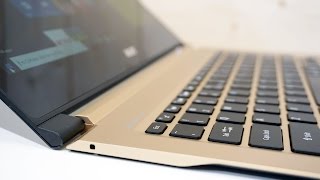 Plenty to look at this week with some really good, nice shiny new laptops being released, and some not so good. One of the stars of the week is stunning the Dell XPS 13 and 15, the not so good Lenovo N22 Touch Chromebook, the amazing Acer Swift 7, the worlds thinnest laptop, the absolutely fantastic Gigabyte Aero 14, and the beast that is the MSI GT62VR Dominator Pro. For good measure we’ve thrown in the Asus MB169C+ review, a portabel USB-C monitor which Kane Fulton of TechRadar reports is a joy to use. And of course right now no laptop review roundup would be complete without featuring the Microsoft Surface Book. Read on and enjoy…
 A little on the dim side Carrying case is fiddly to use Kills your laptop’s battery Having more than one monitor is a boon for productivity, and it’s usually easy to get hold of a second panel if you’re working from home or the office.
 The computer’s mixed performance and poor speakers stymie those small innovations, though. This laptop will work for young pupils who focus on one assignment at a time, but competing machines offer stronger performance.
  Acer Swift 7 Review at a glance Acer Swft 7 is a Laptop of Ultra-thin Proportions. Acer Swift 7 has Intel® Core™ i5 processor, 13.3″ display, 8 GB, 256 GB Solid
  Even though I’ve done scores of notebook reviews over the years, I should confess that for the most part, I’d not buy the vast majority of them.
  It’s a good chip and you can read more about it in my review of the Kaby Lake laptop chips. The CPU is paired with 16GB of LPDDR3/1866 in dual-channel mode and a Samsung 512GB PM951 NVME M.2 drive. A spot-check with Crystal Disk Mark 5.
  Dell Inspiron 11 3000 series 2 in 1 laptop is a weird mix of good and bad. You get a plastic body with a sturdy finish. The laptop sports a 11.6-inch screen and
  The TravelMate’s keyboard offers 1.2 millimeters of key travel, which is less than the 1.5mm that we consider the acceptable minimum for most business laptops.
  Give me a laptop to review and I’m happy. There’s always plenty of clever little gadgets and features to play around with and learn from.
 The best laptop in our opinion is the one you can work with unplugged for a long time. Michael Prospero, LAPTOP Reviews Editor over at Laptopmag.com obviously agrees because they have just tested a range of notebooks to see which one comes out at the top.
 Doing what most users do which is web based working and light tasks, they have compiled the list of winners with two Lenovo Thinkpad machines unsurprisingly in first and second place, the ThinkPad X260 and ThinkPad T460 with an amazing 17 hours of duration each, with third and 4th place going to Acer and Apple.
 The laptop versus tablet war hots up almost weekly and with the release of ever more powerful Tablets like the iPad Pro and the Surface Pro, lines are distinctly blury.
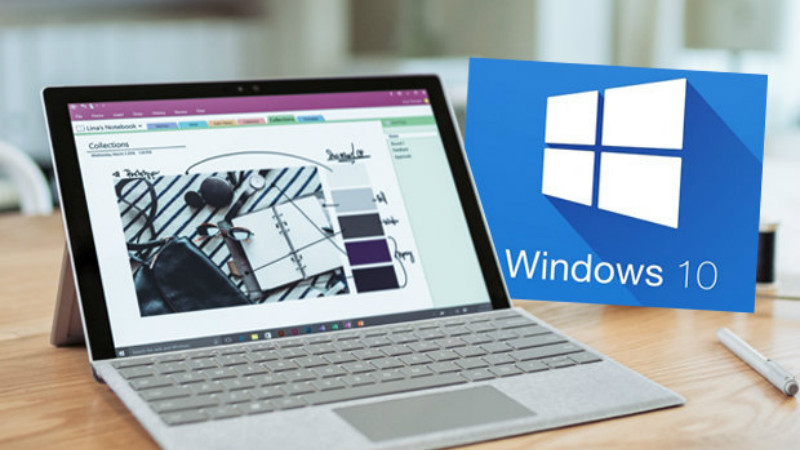 With it’s latest release it looks like Microsoft has added a whole load of features to Windows 10, including some very handy new ‘gestures’ to help us to speed with the process of navigating around our system using just the trackpad.